 František Gažo
d27fa556ce
# Objective

In a branch diff — or any multi-buffer containing deleted files —
deleted files render as flat "external file" rows above the outline
panel's tree, instead of at the path they used to occupy. They lose all
directory context and appear as a bare list of filenames detached from
the tree, which is confusing precisely when you are trying to review
what a branch changed.

The cause is that `File::project_entry_id` returns `None` for
`DiskState::Deleted`, while the outline panel's tree is keyed end-to-end
by `ProjectEntryId` — depth map, collapse state, children counts. A
deleted buffer therefore falls through to the external-file path in
`update_fs_entries`, even though its `File` still carries a perfectly
good worktree and path.

## Solution

Synthesize the missing entries at the point of classification and let
the existing pipeline run unchanged.

- Entries are synthesized for the deleted file **and** for any ancestor
directories that no longer exist, so a wholly-deleted folder still
appears nested at its old location. An ancestor is only taken from the
worktree if it is a directory; a path that is a file now but was a
directory when the deleted file existed is synthesized too, and sorted
after the file so the nesting pass keeps the directory on its stack.
- Ids come from a per-panel registry that hands them out sequentially
downward from just below `ProjectEntryId::MAX`, keyed by path and kind.
Real ids count up from zero, so the ranges cannot meet; sequential
allocation means two entries can never share an id (the entry maps are
keyed by id alone, so a collision would drop a row); and the registry is
kept across updates, so collapse state on synthesized rows survives.
- Whether a buffer with no worktree entry is a deletion is decided by
its `DiskState`: `Deleted` always, `Present` never, `Historic` by its
own flag, and `New` only when git status reports a deletion or the
excerpt's diff has a base text. The last case is a file deleted in a
commit on the branch: it is absent from disk, the working-tree status
says nothing about it, and `GitStore::display_status` only reflects
branch-diff statuses when `git.diff_base` is `default_branch`. A
deletion has a base version; a path that never existed has none. A
scan-excluded file, which also has no entry, is `Present` and stays an
external row.
- Auto-fold stops where deletion state changes, so a surviving `parent/`
is never struck through together with its deleted child, and
`select_parent` treats a folded row as a valid parent of the folded row
beneath it.
- Auto-reveal resolves a deleted row's ancestors from the panel's own
`fs_entries` rather than re-querying the worktree, and only real
directories are ever passed to `Project::expand_entry` (a synthesized id
would go out as an `ExpandProjectEntry` a remote host rejects). Opening
a deleted row resolves its excerpt from the buffer id, since
`path_for_entry` cannot resolve a synthesized entry.

Deleted rows are struck through by a `line_through` on the row's label
wrapper. `HighlightedLabel` builds its text runs from
`window.text_style()`, so an ancestor's style reaches them even though
`LabelLike`'s own `strikethrough()` does not; nothing outside
`crates/outline_panel` changes. Colour is deliberately left to git
status, matching deleted editor tabs — a committed deletion leaves the
working tree clean, so strikethrough is the only signal in a branch
diff.

## Testing

Thirteen new tests, each asserting the rendered tree through
`display_entries`, which now prints external files and marks deleted
rows:

- deleted file nests under its surviving parent; deleted file inside a
wholly-deleted directory gets synthesized ancestors at the right depth
- a file absent from disk and from git status nests when its excerpt
carries a base text, while a buffer on a path that never existed stays
an external file, unmarked
- a modified, scan-excluded tracked file stays an external file,
unmarked
- same-path file + synthesized directory: nesting and auto-reveal both
pick the directory
- auto-fold stops at the deletion boundary; `select_parent` climbs from
a folded deleted chain to the folded parent above it
- opening a deleted row scrolls the editor to its excerpt
- auto-reveal expands the ancestors of a deleted file and ignores an
external file on a nonexistent path
- buffers with no `File` still become `ExternalFile`
- synthetic ids are distinct per path and kind, and stable

`./script/clippy`, `cargo fmt --all -- --check`, `cargo test -p
outline_panel` (33) are green. Tested manually on macOS against a
fixture branch with a committed file deletion, a wholly-deleted
directory under a surviving empty one, a directory replaced by a
same-path file, an uncommitted deletion, a scan-excluded modified file,
and a modified and an added file.

## Suggested .rules additions

- `GitStore::display_status` only reflects branch-diff statuses when
`git.diff_base` is `default_branch`; the branch diff view can be open
while the setting is `head`. Do not use it to detect committed deletions
— a commit-deleted file's buffer is `DiskState::New`; check the
excerpt's diff for a base text instead.
- Outline panel: a directory with mixed children is marked unfolded
while `fs_entries` is built, so an auto-fold chain only forms through
single-subdirectory links. Tests for folding must use that shape.
- `HighlightedLabel` builds its runs from `window.text_style()` at
render time, so `LabelLike` modifiers such as `strikethrough()` and
`italic()` are no-ops on it; put the style on an ancestor element
instead.

## Self-Review Checklist:

- [x] I've reviewed my own diff for quality, security, and reliability
- [x] Unsafe blocks (if any) have justifying comments
- [x] The content adheres to Zed's UI standards
([UX/UI](https://github.com/zed-industries/zed/blob/main/CONTRIBUTING.md#uiux-checklist)
and
[icon](https://github.com/zed-industries/zed/blob/main/crates/icons/README.md)
guidelines)
- [x] Tests cover the new/changed behavior
- [x] Performance impact has been considered and is acceptable

## Showcase

The same branch diff, which deletes `src/utils/format.rs` (its directory
survives) and the whole of `src/legacy/` (including a nested
`internal/`), alongside a modified and an added file.

| Before | After |
| --- | --- |
| <img
src="https://github.com/user-attachments/assets/bf503759-77a7-4f31-80bb-a85936de0b8a"
width="300"> | <img
src="https://github.com/user-attachments/assets/c558b94b-4ca5-447f-a049-a3ab280c679a"
width="300"> |
| Deleted files sit above the project root as bare filenames, detached
from the tree | Each is nested at its original path, with `legacy/` and
`internal/` synthesized since they no longer exist on disk |

Note that `utils/` renders normally while `legacy/` and `internal/` are
struck through: the marking is per-entry, not applied to every ancestor
on a deleted file's path.

---

Release Notes:

- Fixed deleted files appearing outside the file tree in the outline
panel when viewing a diff

---------

Co-authored-by: Kirill Bulatov <kirill@zed.dev>
2.5 KiB
title, description
| title | description |
|---|---|
| Outline Panel - Zed | Navigate code structure with Zed's outline panel. View symbols, jump to definitions, and browse file outlines. |
Outline Panel
In addition to the modal outline (cmd-shift-o), Zed offers an outline panel. The outline panel can be deployed via cmd-shift-b ({#action outline_panel::ToggleFocus} via the command palette), or by clicking the Outline Panel button in the status bar.
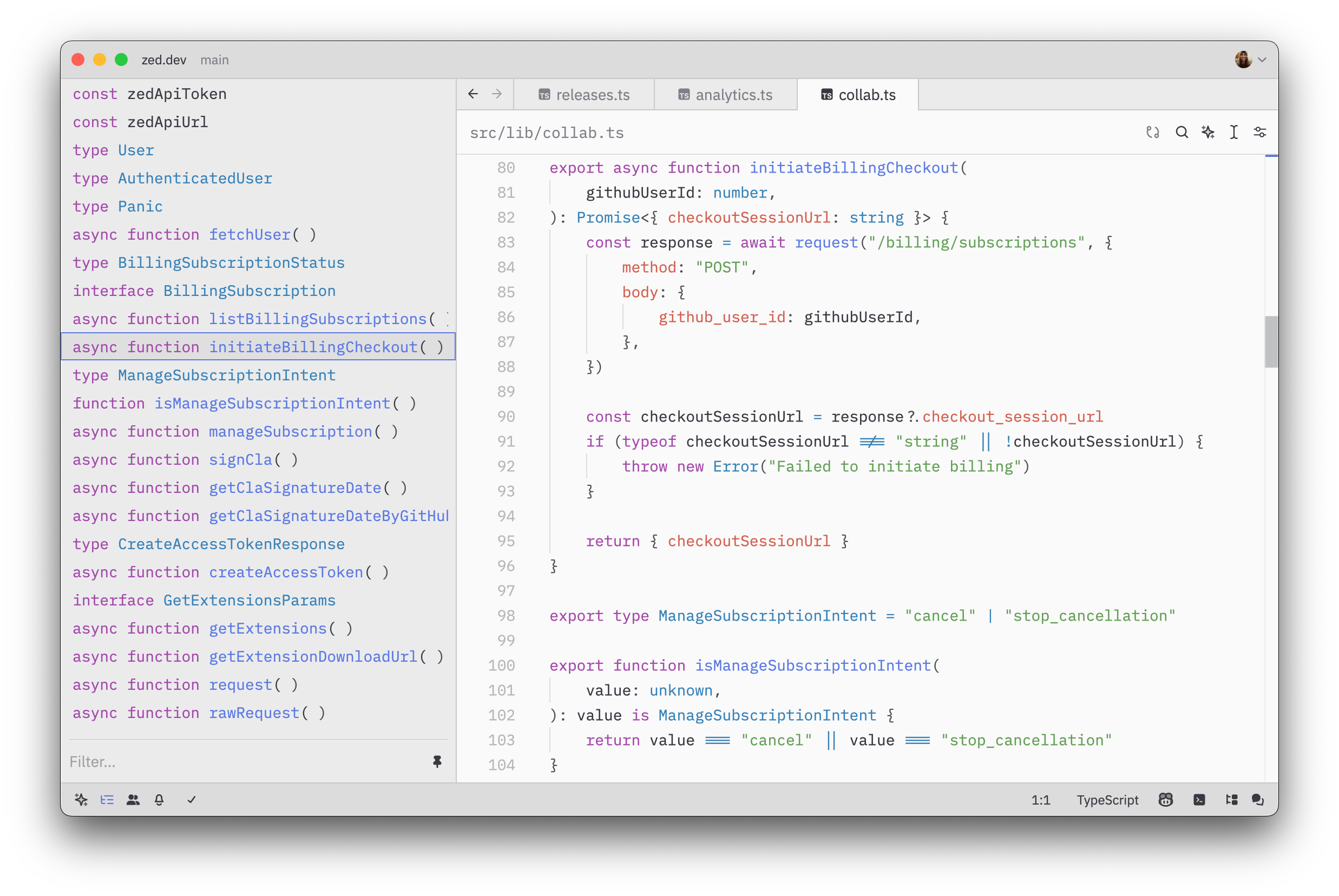
When viewing a "singleton" buffer (i.e., a single file on a tab), the outline panel works similarly to that of the outline modal-it displays the outline of the current buffer's symbols. Each symbol entry shows its type prefix (such as "struct", "fn", "mod", "impl") along with the symbol name, helping you quickly identify what kind of symbol you're looking at. Clicking on an entry allows you to jump to the associated section in the file. The outline view will also automatically scroll to the section associated with the current cursor position within the file.
Usage with multibuffers
File rows follow the order of the files in the multibuffer. If files from a folder appear in separate parts of the multibuffer, the outline panel repeats that folder's path group to preserve their order.
When a multibuffer includes deleted project files, they remain grouped under their original paths with struck-through file names. Folder rows group files by path and are not struck through, even when the folders no longer exist on disk.
The outline panel truly excels when used with multi-buffers. Here are some examples of its versatility:
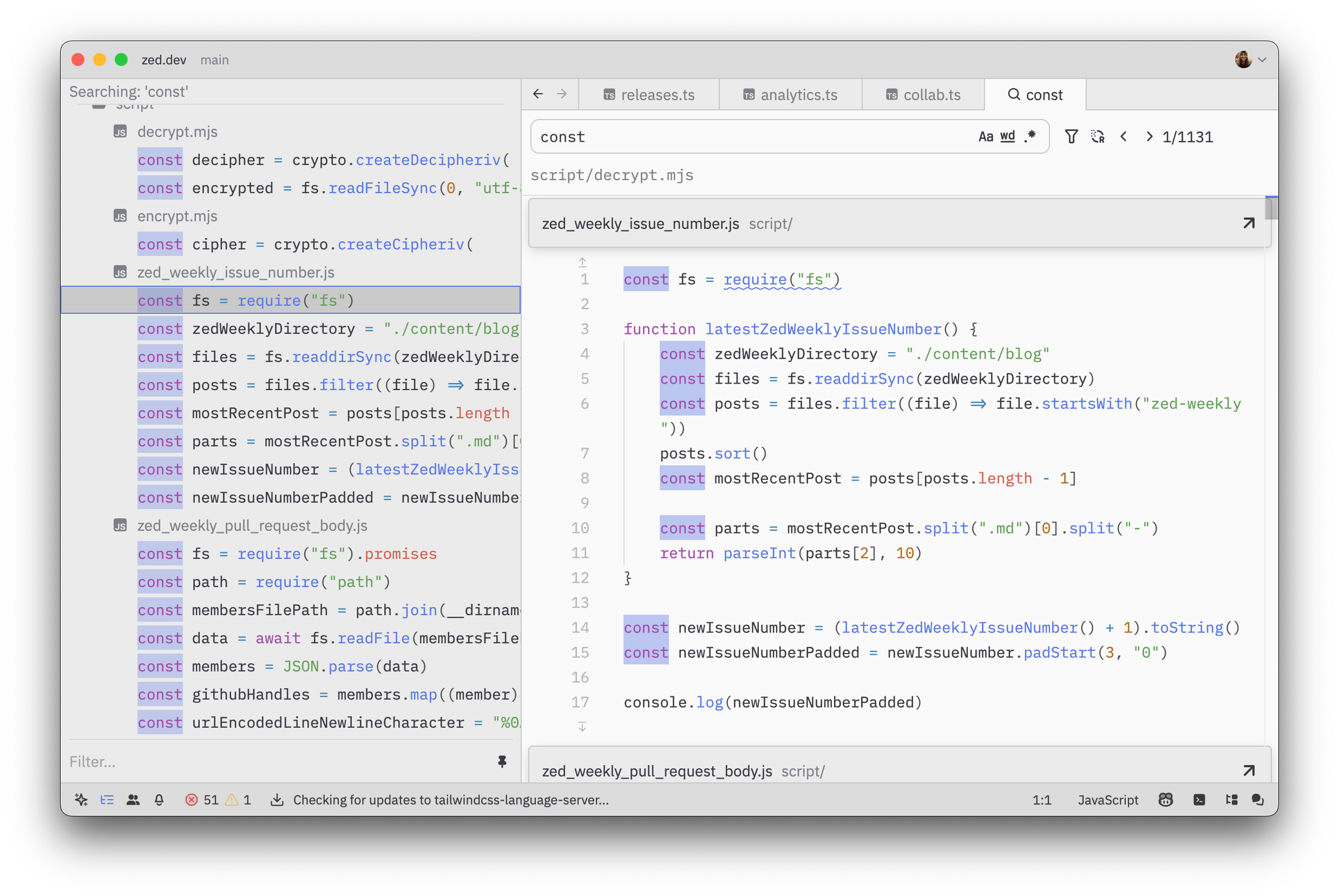
Project Search Results
Get an overview of search results across your project.
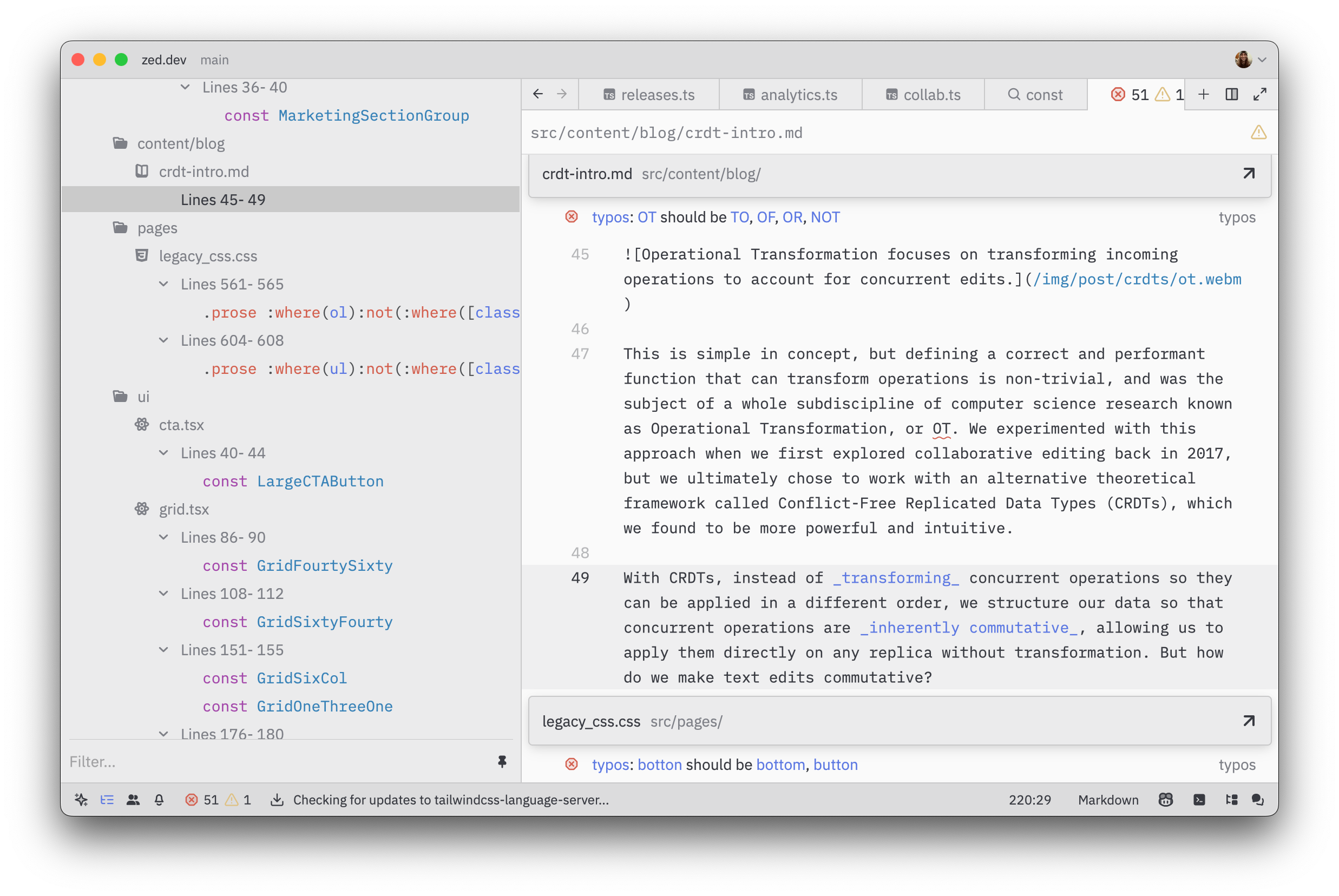
Project Diagnostics
View a summary of all errors and warnings reported by the language server.
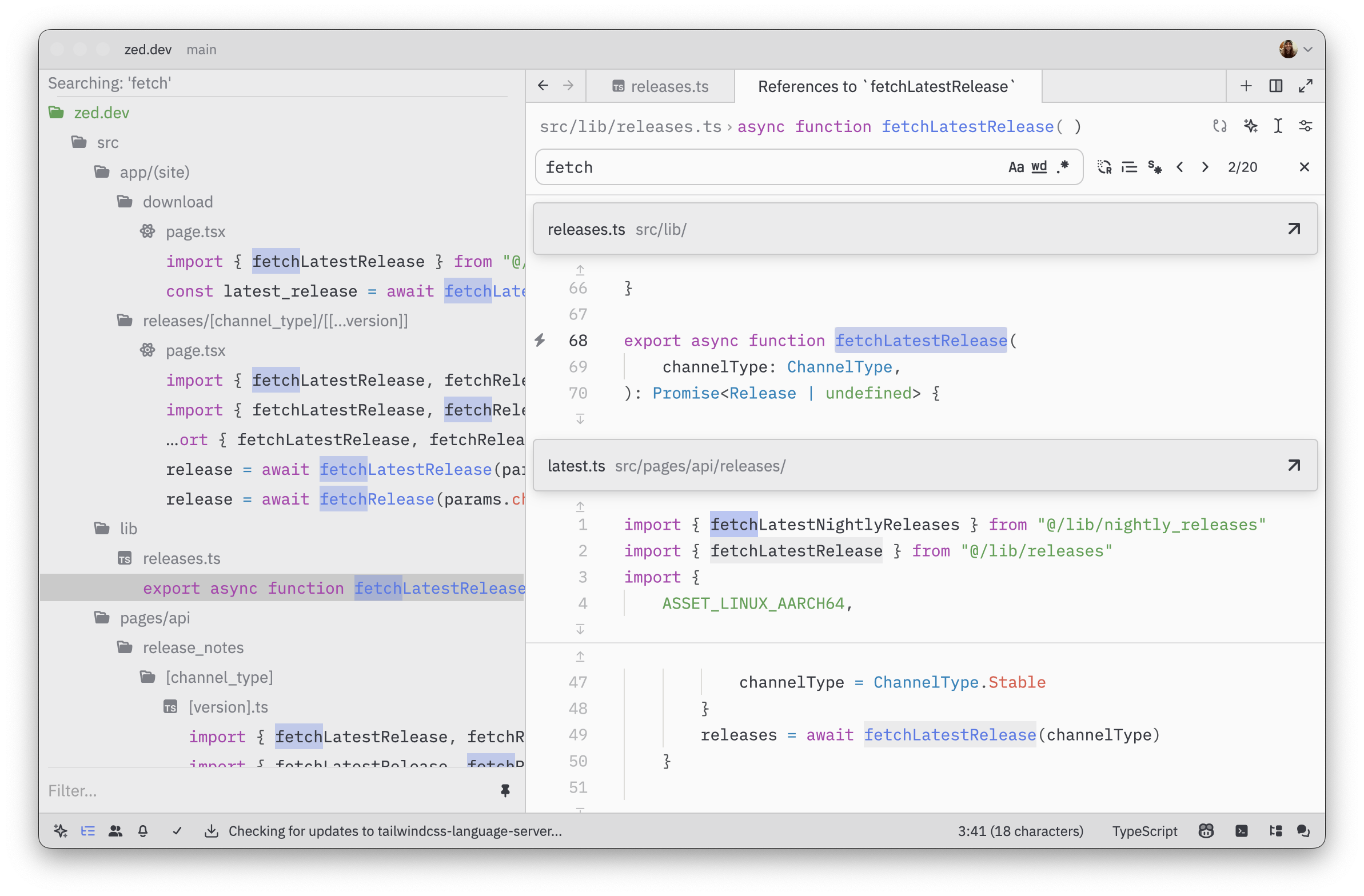
Find All References
Quickly navigate through all references when using the {#action editor::FindAllReferences} action.
The outline view provides a great way to quickly navigate to specific parts of your code and helps you maintain context when working with large result sets in multi-buffers.