 johnnyjoygh
8701d93fc0
Pasting an image went through the inline-image path and wrote its
markdown
into the text immediately; the file only surfaced in the attachment list
once that markdown was deleted. A paste carries no placement gesture, so
pasted files now join the attachment list like the + menu's upload, and
the list's own Insert action is how a pasted image becomes inline. Drop
keeps inlining images at the drop point.

The CodeMirror handler reports the gesture as an EditorFileOrigin
through
the single onFiles callback, and MemoEditor owns one ingest function
with a
placement argument that the + menu, paste and drop all share.
createBlobUrl
is memoized so the ingest callback's dependencies hold.
✨ Featured sponsor: CodeRabbit — Industry-leading AI code reviews.
Memos

Fast enough for every thought. Private enough for all of them.
Memos is an open-source, self-hosted home for short-form thinking. Daily notes, links, work logs, and snippets flow into a chronological Markdown timeline—on infrastructure you control, without the overhead of an all-in-one workspace.
Run with Docker · Try the live demo · Read the docs




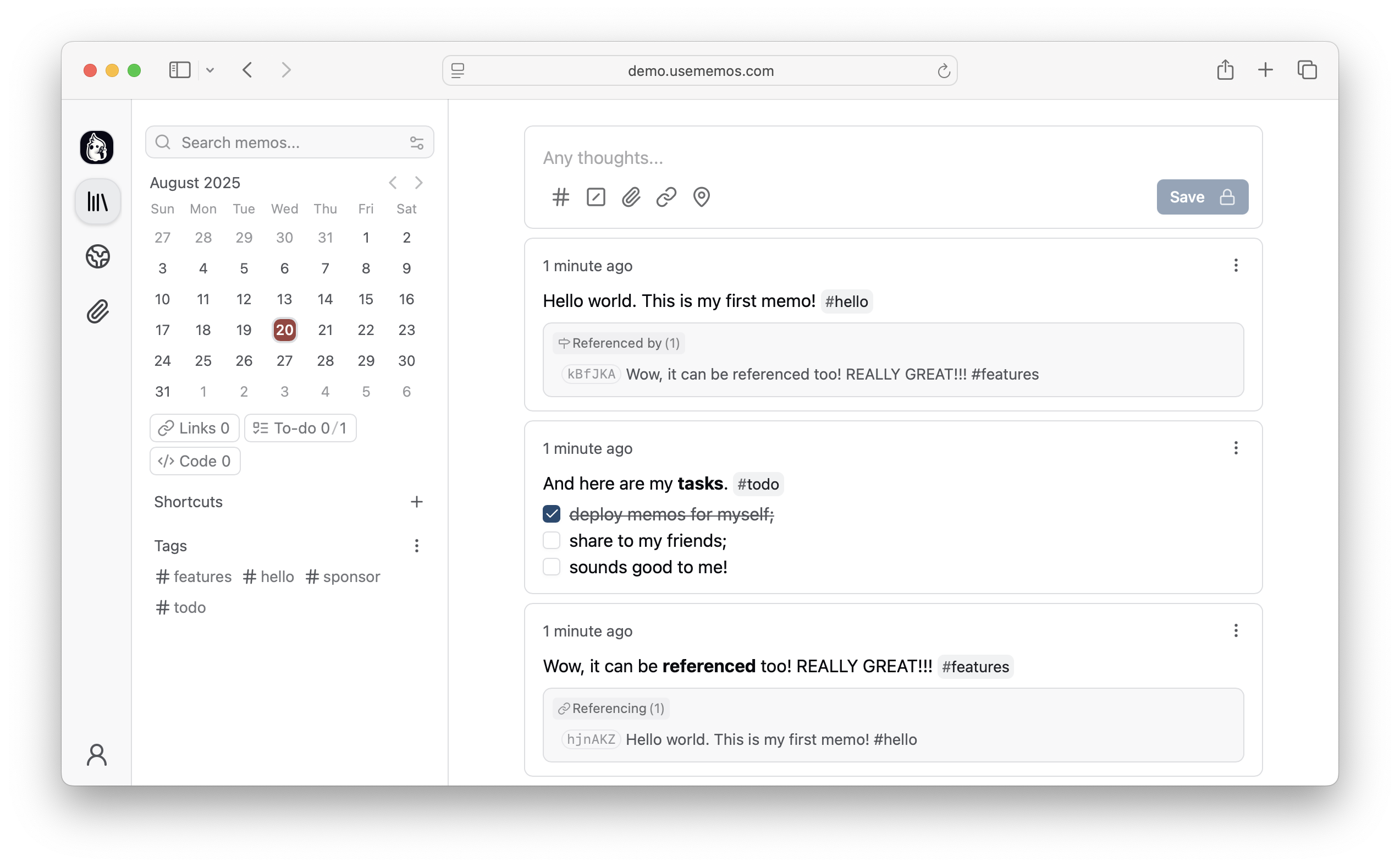
Why Memos?
- Capture quickly — Write in Markdown, attach media, and save without choosing a title, folder, or template.
- Organize lightly — Revisit notes through the timeline, search, tags, and pins.
- Share selectively — Keep memos private or publish only what you choose.
- Keep control — Self-host Memos with zero telemetry and MIT-licensed source.
Quick Start
Run Memos with Docker:
docker run -d \
  --name memos \
  -p 5230:5230 \
  -v ~/.memos:/var/opt/memos \
  neosmemo/memos:stable
Other install options are in the deployment guide.
Web Clipper
Save pages, selections, and images from your browser straight into Memos as source-linked Markdown. Get the Memos Web Clipper for Chrome or Firefox.
Sponsors



Love Memos? Sponsor the project on GitHub.
Get Help
Read the docs, join Discord, or ask in GitHub Discussions. Found a bug or have an idea? Open an issue. To contribute, see the contributing guide.